
 EN
 ES
 ID
 RU
 PT
 FR
 KO
 JA
 AR
 TL
 VI


A UPS alarm tells you that your uninterruptible power supply has detected a change that may affect backup power. The unit may be running normally on battery after a power interruption, or it may be warning that an overload, battery problem, or internal fault is putting the connected equipment at risk.
If your UPS is beeping, check the display or monitoring dashboard first. Record the exact alarm message or code, the current operating mode, and whether the UPS is still supplying the load. Beep patterns vary by model, so use the manual for your specific UPS to interpret the sound.
What Is a UPS Alarm?
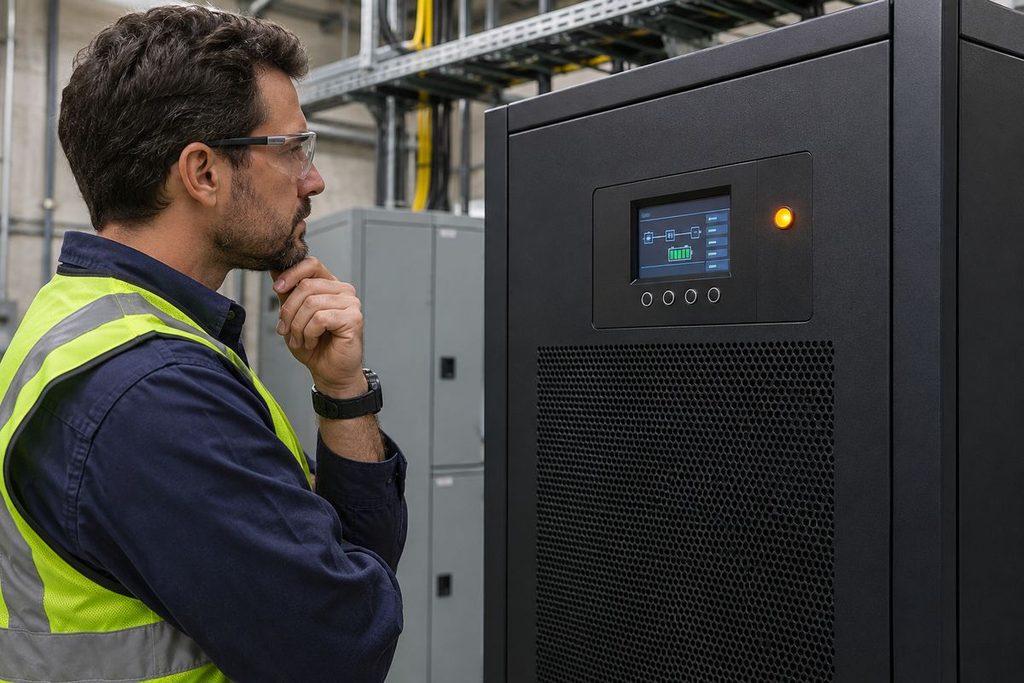
A UPS monitors conditions such as input voltage and frequency, output load, battery status, and internal temperature. When a monitored condition changes or crosses a threshold, the UPS may sound a buzzer, illuminate an indicator, display an alarm code, or send a notification through a supported monitoring interface.
The action you take depends on how the alarm affects the connected equipment. A transfer to battery during a brief outage may only require monitoring. A low-battery warning calls for action before runtime expires. An unexpected transfer to bypass calls for investigation even if every server or machine is still running.
Common UPS Alarms and What They Mean
| Alarm or Status | What It Means | First Response |
|---|---|---|
| On Battery / Input Abnormal | Utility or generator input has failed or moved outside the UPS acceptance range. If the UPS is in battery mode, it is using stored energy to support the load. | Confirm the operating mode. If the UPS is on battery, check estimated runtime and whether the site is experiencing a power interruption. |
| Low Battery | The battery is approaching its discharge limit, and UPS output may shut down soon if acceptable input power does not return. | Start the site’s approved shutdown or backup power procedure immediately. |
| Replace Battery / Battery Test Failed | The UPS detected a battery problem during a self-test or routine monitoring. Available backup runtime may be reduced. | Record the event and arrange a battery inspection. Check the battery age and recent discharge history. |
| Battery Disconnected | The UPS cannot detect the battery or battery string. The load may still have power while battery backup is unavailable or reduced. | Notify qualified service personnel to check the battery circuit and restore backup capability. |
| Output Overload | The connected equipment is drawing more power or current than the UPS can support under the current operating conditions. | Review load readings and recently added equipment. If authorized, remove noncritical loads in accordance with the site procedure. |
| On Bypass | The bypass source is supplying the load. Normal inverter conditioning and battery backup may be unavailable while the load remains on bypass. | Confirm whether the transfer was planned. Investigate any unexpected transfer before attempting to return to inverter operation. |
| Bypass Unavailable | The UPS cannot transfer to the bypass source. The inverter may still be supplying the load. | Check the displayed bypass status and notify site electrical staff, especially if another active alarm could require a transfer. |
| Overtemperature / Fan Fault | The UPS detected excessive temperature or a cooling system issue. A persistent condition can lead to protective action. | Check room cooling and externally accessible air vents. Escalate persistent alarms to qualified service personnel. |
| Inverter Fault / Output Short Circuit | The UPS has detected a fault that can interrupt output or cause a transfer to bypass, depending on the model and fault. | Follow the site’s fault response procedure and contact qualified service personnel. Avoid repeated restarts or resets. |
Why Is My UPS Beeping When the Power Is Still On?
The lights can stay on while the UPS detects a brief voltage dip or an input frequency outside its accepted range. If the event log shows repeated transfers to battery, compare the timestamps with generator transfers, large equipment starts, or disturbances reported by the facilities team. A record of several transfers at the same time each day can help narrow down the cause.
If the UPS remained in normal operating mode, check for a failed battery self-test, a battery connection warning, or a cooling alarm. A UPS can continue supplying the load while reporting a problem that reduces its ability to handle the next outage.
What Does a Continuous UPS Alarm Mean?
A continuous tone can indicate an overload or another condition that requires prompt attention. The meaning depends on the UPS model and its operating state. If the display shows an overload, review the load in kW and kVA where available. On a three-phase UPS, also check the load or output current on each phase. One phase can reach its limit even when the total load reading appears acceptable.
A brief overload during equipment startup can point to inrush current. An overload that remains active after startup calls for a review of sustained demand and load distribution. On a modular UPS, check how many power modules are available and whether the system still meets the required redundancy level. Losing a module can reduce spare capacity while the UPS continues to supply the load.
Why an Unexpected Bypass Transfer Matters
On an online double-conversion UPS, an unexpected static bypass transfer can keep critical equipment powered when the inverter cannot carry the load. While the load is on bypass, it depends on the bypass source. An interruption or disturbance on that source can therefore have a different effect than it would during normal inverter operation.
Check the events recorded immediately before the transfer. An overload, inverter fault, or temperature alarm may explain why the UPS moved to bypass. Confirm whether the display shows static bypass or whether an external maintenance bypass is in use. The procedure for restoring normal operation depends on the installation and should be handled by authorized personnel.
How to Troubleshoot a UPS Alarm Safely
- Confirm whether the load is powered and protected. Check the output status and identify whether the UPS is in normal, battery, or bypass mode. If the UPS is on battery, check the remaining runtime.
- Capture the alarm before clearing it. Record the exact message, code, timestamp, operating mode, load reading, and any input or battery values shown. Export the event log if available. The first event in a sequence often provides more context than the alarm currently on screen.
- Check what changed. Compare the alarm time with a utility interruption, generator transfer, recent equipment installation, battery service, or cooling issue. Use the display and monitoring system for these initial checks.
- Follow the procedure for the active alarm. Begin an orderly shutdown when battery runtime is close to expiry and backup power is unavailable. Escalate internal faults, persistent cooling alarms, and unexpected bypass transfers to qualified personnel.
- Verify recovery. Confirm that the UPS has returned to its expected operating mode, the alarm condition has cleared, and the required backup capacity is available. If the unit discharged its batteries, account for recharge time when assessing readiness for another outage.
Electrical safety: A UPS can contain hazardous voltage from its battery and other power sources even when utility input is disconnected. Cabinet access, battery circuit work, and bypass switching should be performed by qualified personnel following the manufacturer’s procedure and site electrical safety rules.
How to Reduce Recurring UPS Alarms
- Monitor available capacity. Track normal and peak loads, check phase balance on three-phase systems, and review capacity before adding equipment.
- Maintain the battery system. Follow the model-specific inspection and test schedule. Track battery age, operating temperature, failed tests, and changes in available runtime.
- Review repeated input events. Compare the UPS log with utility events, generator operation, and transfer-switch activity before making any changes to input settings.
- Route alarms to the people who can act. Where supported, use SNMP, dry contacts, or the site monitoring system to notify operators of low battery, unexpected bypass, battery faults, and loss of output. Test the notification path during commissioning and after changes.
Frequently Asked Questions
Can I mute a UPS alarm?
Many UPS models let you acknowledge or silence the buzzer. The active alarm remains until the underlying condition clears. Check the display and event log even after the sound stops.
Does a battery alarm mean I need new batteries?
A low-battery alarm during an outage usually indicates that the available charge is nearly depleted. A replace-battery message, a failed self-test, or repeated short runtime after a full recharge calls for investigation. Check the alarm history and arrange a battery assessment before making a replacement decision.
What information should I send to UPS technical support?
Provide the UPS model and serial number, exact alarm code, current operating mode, and event log or a photo of the display. Include the load reading, battery age if known, and details of any recent outage, generator transfer, maintenance, or equipment change.
UPS Alarm Support from RhimoPower
If a RhimoPower UPS repeatedly transfers to battery, reports a fault, or remains on bypass, send our team the model number and alarm details. We can help identify what the message means for your system and advise on the next service step.

